April Improvements & New Features
A round of improvements landed this week. Various improvements to our signals UX, the ability to add new competitors and ICPs with one click through Genie, UI for editing and re-ordering your Intel data, improved reply drafts, and more.
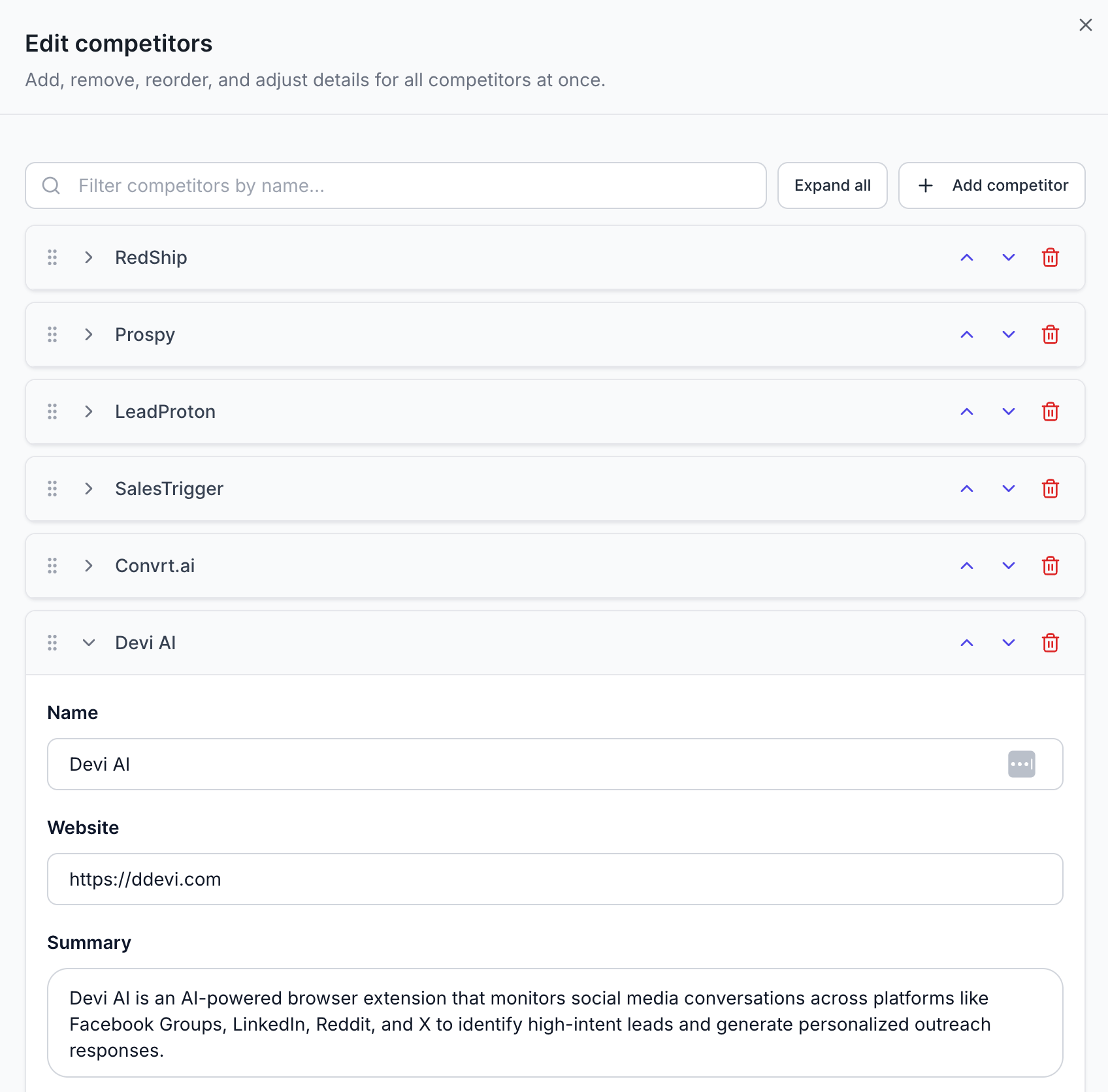
New Feature: Manually Edit Intel Data
Want more control over the data you add or change? We’ve added a complete brand new UI for editing, deleting, and organizing all of your data on the Intel page. This applies to every single data point in the Intel, including USPs, KSPs, ICPs, Competitors, and Sub-reddits.
Improved: Add New ICPs and Competitors with Genie
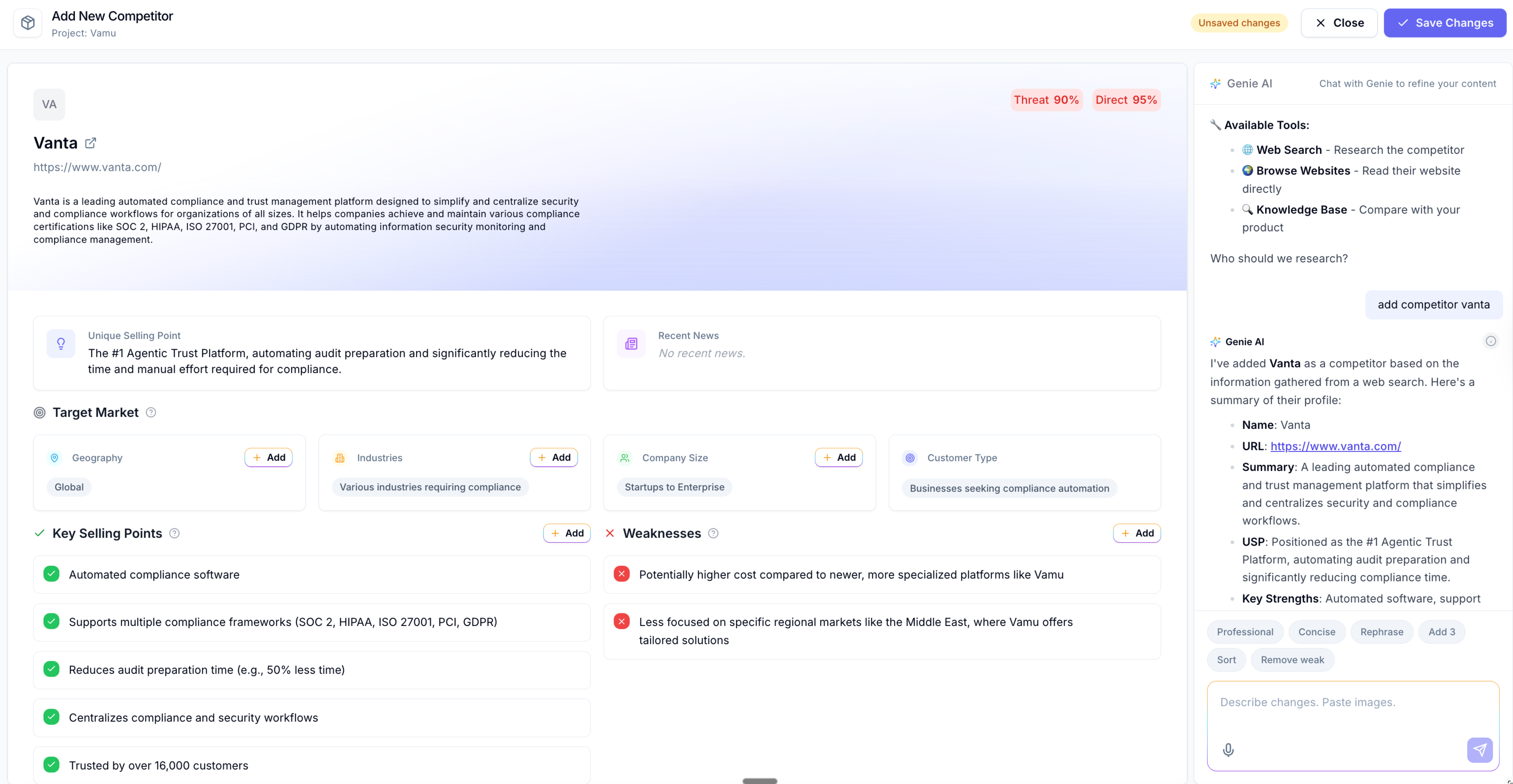
You can now chat with our AI agent, Genie, and ask it to add a specific competitor or ICP to your Intel data with a single prompt.
For example: “add competitor Vanta”. Genie will do its magic, automatically researching and adding competitor data without any manual input from you. Instead of spending 30 minutes researching and filling in competitor fields, you can now expand your data in seconds.
Improved: Draft Replies Now Follow AI Anti-Slop Rules
We’ve added AI Anti-slop Rules. The reply prompt now actively avoids the patterns that make AI-generated comments easy to spot: generic openers, em-dashes, "in today's fast-paced world" energy, throat-clearing intros, lazy closers, hedge phrases like "honestly" or "to be fair", and the "not just X, it's Y" structure. The goal is replies that read like a human in the thread.
Improved: Removing a Relevancy Rule Now Re-scores Old Threads From the Last Seven Days
When you remove a relevancy rule, every thread previously scored in the last seven days against it is automatically re-scored. Before, old threads kept their original score, and you had to wait for new signals to come through to feel the change. Now the inbox reflects your current rules, not the rules you had last week.
Other Improvements and Bug Fixes
Better Keyword matching – fixes a class of false positives. For example, if you add the competitor name “Vanta” you will not get signals mentioning “advantage”.
Inbox search fixed – better ranking, highlighting, and navigation.
Fixed: Project Creation Rescue Flow – If the project setup encounters an error, you now get diagnostics and a guided path to recovery instead of a stuck state.